

VMware vRealize Log Insight
August 19, 2025
VMware vSphere 8 Enterprise Plus with Kubernetes
August 19, 2025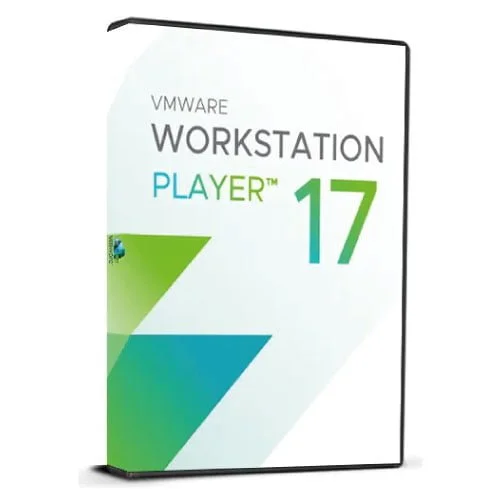
VMware Workstation 17 Player | Lifetime License
VMware Workstation 17 Player for Windows, lifetime license. Lightweight virtualization for running and managing virtual machines with ease.
29.90$
- Instant digital delivery via email
- Genuine license key guaranteed
- Secure checkout via Stripe
VMware Workstation 17 Player for Windows – Lifetime License
Run virtual machines with ease using VMware Workstation 17 Player, the lightweight virtualization solution trusted by IT professionals, students, and businesses. With a simple and intuitive interface, Workstation Player allows you to create, run, and manage virtual machines on Windows, supporting a wide range of guest operating systems.
Ideal for training, software testing, or running legacy applications, VMware Workstation 17 Player provides robust performance, hardware compatibility, and secure isolation between environments. The lifetime license ensures permanent use without subscription renewals.
After purchase, you will receive an official lifetime license key and activation instructions directly via email, allowing instant download and activation.
Product Info:
- Product: VMware Workstation 17 Player
- License type: Lifetime, one-time purchase
- Platform: Windows 10 and Windows 11 (64-bit)
- Supports: Wide range of guest operating systems (Windows, Linux, etc.)
- Delivery: Digital license key with activation guide
- Region & Language: Global use, multilingual support
Key Features Included:
- Lightweight Virtualization – Simple setup for creating and running virtual machines
- Cross-Platform Support – Run Windows, Linux, and other OS as guests
- Enhanced Graphics – DirectX 11 and OpenGL 4.3 support for 3D applications
- Secure Isolation – Keep test environments and personal data separate
- USB & Hardware Compatibility – Seamless integration with USB devices and peripherals
- Performance Optimization – Multicore CPU, large memory, and disk support
- Commercial Use Ready – Licensed for business, academic, and personal usage
What You’ll Receive:
- Official VMware Workstation 17 Player lifetime license key
- Activation instructions via email
- Direct download link for installation
- Access to VMware documentation and support resources
Related products
-
Parallels Desktop 26 Business | Lifetime Key
109.90$Parallels Desktop 26 Business Lifetime Key – Enterprise-grade virtualization for Mac with centralized management, advanced security, and premium support.
-
VMware Fusion Pro 13 | Lifetime License
Original price was: 179.00$.29.90$Current price is: 29.90$.VMware Fusion Pro 13 for Mac – Lifetime License. Run Windows, Linux, and other OS on macOS with seamless performance. One-time purchase, no subscription.
-
Nitro Pdf Pro 14 – Lifetime Key
Original price was: 214.00$.49.99$Current price is: 49.99$.Nitro PDF Pro for Windows. Full version with license key included. Ideal for creating, editing, converting, and signing PDF documents.


Reviews
There are no reviews yet.