Windows 11 Pro vs Home vs Enterprise: Which License Should You Choose?
July 31, 2025How to Activate Windows 11 Without Issues: Complete Step-by-Step Guide
July 31, 2025Choosing between Office 2024 Professional Plus and Microsoft 365 can be confusing. One is a traditional one-time purchase, the other requires a monthly subscription—but the differences go far beyond just pricing.
In this guide, we break down the key differences and help you decide which option delivers better value for your needs.
What Is Office 2024 Professional Plus?
Office 2024 Professional Plus is the traditional perpetual license version of Microsoft Office. You buy it once and own it forever.
What’s Included:
- Word, Excel, PowerPoint, Outlook
- Access and Publisher (Windows only)
- OneNote integration
- No cloud storage included
- No ongoing updates (security patches only)
Key Features:
- One-time purchase, yours forever
- Install on one PC or Mac
- Works entirely offline
- Classic desktop applications
- No monthly fees
Best for:
- Users who prefer one-time purchases
- Businesses with stable software needs
- Organizations with limited internet connectivity
- Budget-conscious users (long-term)
Pros:
- No recurring subscription costs
- Complete offline functionality
- Familiar traditional Office experience
- Lower total cost over 5+ years
Cons:
- No cloud storage or collaboration features
- No feature updates (only security fixes)
- Single device installation
- No mobile app premium features
- No Microsoft Teams included
What Is Microsoft 365?
Microsoft 365 (formerly Office 365) is the subscription-based service that includes Office apps plus cloud services and regular updates.
What’s Included:
- All Office 2024 apps (Word, Excel, PowerPoint, Outlook)
- 1 TB OneDrive storage per user
- Microsoft Teams for collaboration
- Premium mobile and web apps
- Monthly feature updates
- Advanced security features
Subscription Options:
- Personal: 1 user, up to 5 devices, 1 TB OneDrive
- Family: Up to 6 users, 6 TB total storage (1 TB each)
- Business: Multiple plans with varying features
Best for:
- Teams requiring collaboration
- Users who want latest features
- Mobile-first workflows
- Businesses needing cloud storage
- Organizations requiring advanced security
Pros:
- Always up-to-date with latest features
- Generous cloud storage (1 TB per user)
- Works on multiple devices (PC, Mac, mobile)
- Advanced collaboration tools
- Includes Microsoft Teams
- Premium mobile app features
Cons:
- Ongoing monthly/yearly costs
- Requires internet for full functionality
- Subscription dependency
- Higher long-term costs
- Feature changes you can’t control
Key Differences: Office 2024 vs Microsoft 365 (Summary Table)
| Feature | Office 2024 Pro Plus | Microsoft 365 |
|---|---|---|
| Pricing Model | One-time purchase (~$439) | Monthly subscription (~$12.50/month) |
| Updates | Security only | Features + Security |
| Cloud Storage | None included | 1 TB OneDrive per user |
| Device Installs | 1 PC/Mac | Up to 5 devices |
| Microsoft Teams | ❌ | ✅ |
| Premium Mobile Apps | ❌ | ✅ |
| Collaboration Features | Basic | Advanced |
| Offline Access | Full | Full (with sync) |
| Long-term Cost (5 years) | ~$439 | ~$750 |
| Advanced Security | Basic | Enhanced |
Cost Comparison: Which Is Cheaper?
Year 1:
- Office 2024: $439 (one-time)
- Microsoft 365: $150 (Personal) / $300 (Family)
Year 3:
- Office 2024: $439 total
- Microsoft 365: $450 (Personal) / $900 (Family)
Year 5:
- Office 2024: $439 total
- Microsoft 365: $750 (Personal) / $1,500 (Family)
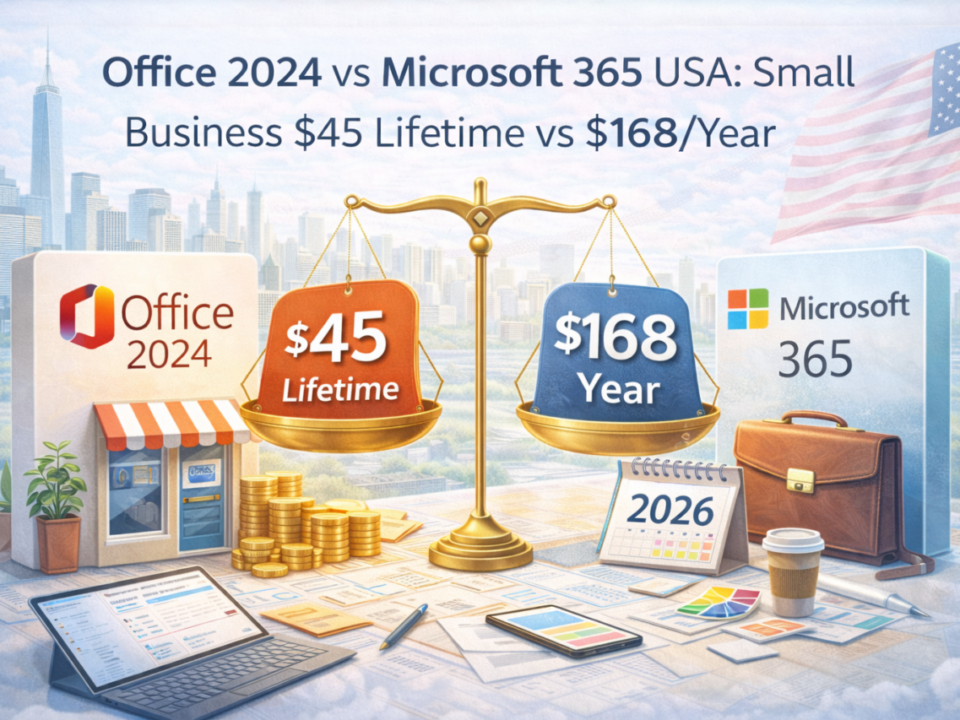
Break-even point: Microsoft 365 becomes more expensive after 2.9 years for Personal, 1.5 years for Family plans.
Which Should You Choose?
Choose Office 2024 Professional Plus if:
- You prefer one-time purchases over subscriptions
- You work primarily offline
- You don’t need cloud collaboration features
- You use Office on one computer only
- You want to minimize long-term costs
- Your software needs are stable and predictable
Choose Microsoft 365 if:
- You work on multiple devices (PC, Mac, mobile, tablet)
- You need cloud storage and file sharing
- Team collaboration is important
- You want always up-to-date features
- You use mobile apps frequently
- You need Microsoft Teams for communication
- Advanced security features are required
Real-World Scenarios
Scenario 1: Small Business Owner (Solo)
- Recommendation: Office 2024 Professional Plus
- Why: Lower long-term cost, works offline, includes Access for database needs
Scenario 2: Remote Team (5 people)
- Recommendation: Microsoft 365 Business
- Why: Teams collaboration, cloud storage, multiple device access
Scenario 3: Family with Students
- Recommendation: Microsoft 365 Family
- Why: 6 users, mobile apps for students, shared storage
Scenario 4: Traditional Office Environment
- Recommendation: Office 2024 Professional Plus
- Why: Stable environment, no collaboration needs, cost-effective
Final Thoughts
The choice between Office 2024 and Microsoft 365 depends on your work style and collaboration needs, not just price.
Office 2024 is perfect for users who:
- Want traditional software ownership
- Work independently
- Have predictable software needs
Microsoft 365 makes sense if you:
- Work across multiple devices
- Need modern collaboration tools
- Value always-current features
Common mistakes to avoid:
- Choosing Office 2024 when you need collaboration
- Paying for Microsoft 365 features you don’t use
- Not considering long-term costs
- Ignoring mobile and cloud requirements
Need Help Choosing the Right Office License?
At DigitaLicence, we offer both options at competitive prices:
Office 2024 Professional Plus:
- Genuine Microsoft retail keys
- Instant digital delivery
- Lifetime license
- Full customer support
Microsoft 365 Subscriptions:
- Best pricing available
- Easy setup assistance
- Multiple plan options
- Expert guidance
Not sure which is right for you? Contact our licensing experts—we’ll analyze your specific needs and recommend the best solution for your workflow and budget.