
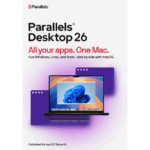
Parallels Desktop 26 Pro | Lifetime Key
September 7, 2025
Autodesk InfraWorks 2027 – Commercial Subscription
September 23, 2025
Parallels Desktop 26 Standard | Lifetime Key
Parallels Desktop 26 Standard Lifetime Key – Run Windows and Linux on your Mac with seamless performance and integration. One-time purchase, lifetime access.
94.00$
- Instant digital delivery via email
- Genuine license key guaranteed
- Secure checkout via Stripe
You’ll receive your activation details by email, with genuine permanent access for the Standard edition on Mac.
What You’ll Receive
✅
Permanent activation for the Standard edition
✅
Activation details are delivered quickly after purchase
✅
Run Windows and other operating systems on Mac with the Standard edition
✅
Our team can assist with activation and installation questions if needed
What Is Parallels Desktop 26 Standard – Lifetime Key?
Parallels Desktop 26 Standard – Lifetime Key is a virtualization software for Mac users who want to run Windows and other operating systems without rebooting. It makes it easier to work across macOS and Windows in the same desktop environment.
In addition, the software improves flexibility by allowing Windows applications to open directly on Mac, reducing compatibility issues and simplifying everyday tasks. Users can switch between systems more smoothly, manage virtual machines from one interface, and maintain a more efficient workflow.
With permanent activation, this version is suitable for users who want long-term virtualization without recurring costs. It offers the core tools needed for daily productivity, compatibility, and general desktop use on Mac.
Parallels Desktop 26 Standard Features
Key Features of Parallels Desktop 26 Standard
Product Specifications
Frequently Asked Questions
10 reviews for Parallels Desktop 26 Standard | Lifetime Key
Related products
-
VMware Fusion Pro 13 | Lifetime License
Original price was: 179.00$.29.90$Current price is: 29.90$.VMware Fusion Pro 13 for Mac – Lifetime License. Run Windows, Linux, and other OS on macOS with seamless performance. One-time purchase, no subscription.
-
Parallels Desktop 26 Business | Lifetime Key
109.90$Parallels Desktop 26 Business Lifetime Key – Enterprise-grade virtualization for Mac with centralized management, advanced security, and premium support.
-
Spotify Premium – 12 Months | Existing or New Personal Account
59.00$Enjoy Spotify Premium for 12 months directly on your personal Spotify account. Use your existing account and keep your playlists and saved music, or activate Premium on a new account. Get ad-free listening, offline downloads, full playback control and Premium audio features.



Julien Moreau –
Franchement très propre. Installation rapide et Windows tourne sans ralentissements sur mon Mac. Rien à dire.
Daniel Hughes –
Needed it for a couple of Windows-only tools and it just works. No crashes, no weird bugs. Solid.
Amir Rahimi –
Works well overall. Took me a bit to understand the settings, but after that everything runs smoothly.
Tobias Lindberg –
Clean experience. I was up and running in less than 20 minutes, no complications.
Tobias Lindberg –
Działa dobrze. Na początku trochę konfiguracji, ale potem wszystko stabilnie.
Carlos Méndez –
Muy buen rendimiento. Lo uso para programas de oficina en Windows y va perfecto en mi MacBook.
Ethan Walker –
Honestly better than I expected. I run a couple of heavier apps and it handles them without issues.
Matteo Rinaldi –
Installazione semplice e tutto funzionante al primo colpo. Lo uso ogni giorno senza problemi.
Samir Benali –
Works fine. Not super fast on older hardware but still very usable for daily tasks.
Leon Fischer –
Everything is stable and responsive. No complaints so far, does exactly what I needed.