Microsoft Visio 2024: Which Edition You Need and How to Get It Cheaper
July 1, 2026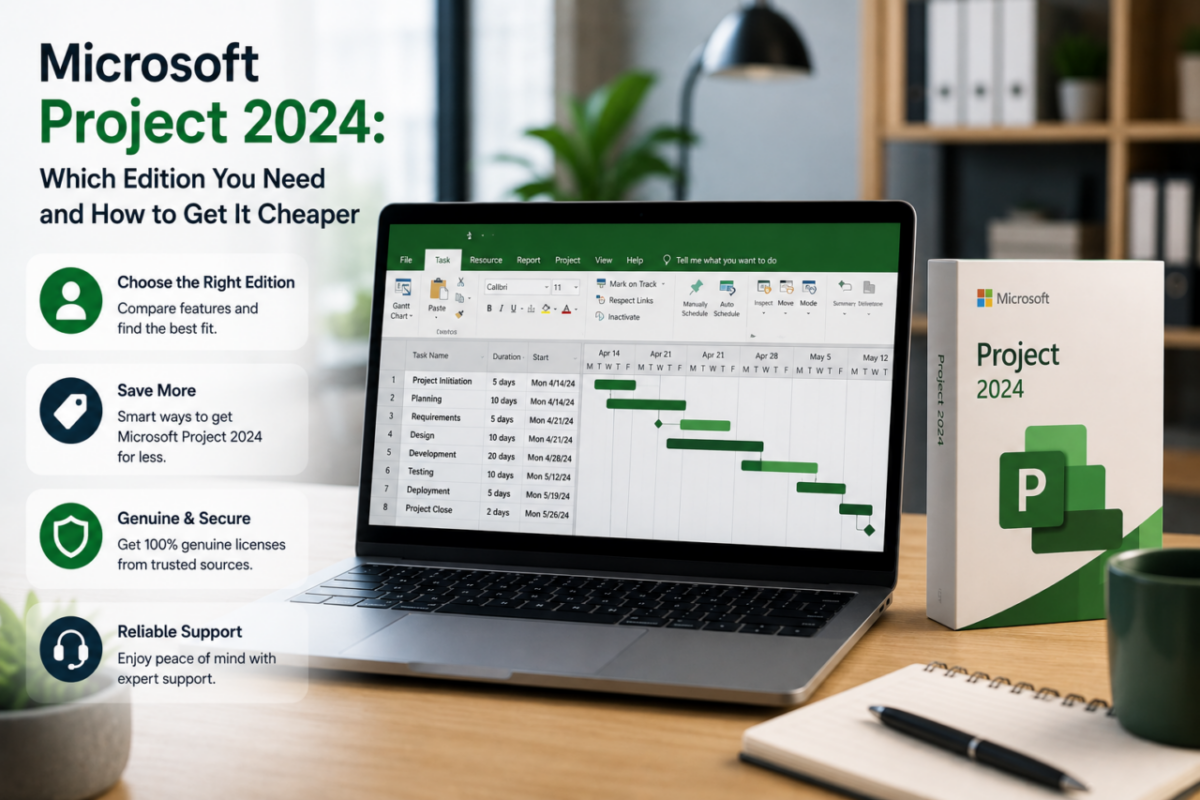
Microsoft Project 2024 is the industry standard for serious project management — Gantt charts, task dependencies, resource tracking and reporting that keep complex work on schedule. However, it’s also one of Microsoft’s priciest products, with a one-time license that can reach roughly $1,130 and subscriptions that never stop charging.
So before you commit, it pays to understand what Project actually does, how the editions differ, and where the real value lies. The right version depends entirely on whether you manage projects full-time or just need solid planning tools.
In this guide, we’ll explain Microsoft Project 2024 clearly: its core uses, Standard versus Professional versus subscription, what it really costs, and how to get a genuine lifetime license for a tiny fraction of Microsoft’s price.
Project Professional 2024 — without the Microsoft price
Microsoft one-time license: around $1,130
Microsoft subscription: up to $55/user/month
Our price: $88.98 — lifetime, no subscription
Genuine binding key linked to your Microsoft account. All Professional features. Instant email delivery.
Get Project Professional 2024 – $88.98 →What is Microsoft Project used for?
Put simply, Project takes a messy plan and turns it into a controlled schedule. Instead of juggling tasks in spreadsheets and emails, you map the whole project — and you can see at a glance what’s due, who’s responsible, and where the bottlenecks are.
Common Project uses:
✔ Gantt charts and visual project timelines
✔ Task scheduling and dependency management
✔ Resource allocation and workload balancing
✔ Budget tracking and cost control
✔ Progress reports and stakeholder dashboards
As a result, Project is a fixture wherever deadlines and resources matter — construction, IT rollouts, consulting, engineering and operations teams all lean on it. If you’re coordinating people, tasks and budgets at once, it quickly becomes indispensable.
Project editions explained: Standard, Professional and subscription
Microsoft offers Project in several forms, and the gaps between them are significant. Choosing wrong means either paying for power you won’t touch or missing tools you’ll soon need.
Project Standard
Standard handles the fundamentals: building schedules, creating Gantt charts and managing tasks for a single planner. For solo use on straightforward projects, it’s capable. However, it leaves out the resource management and collaboration features that bigger projects demand.
Project Professional
Professional is the complete toolkit. On top of everything in Standard, it adds resource pooling, team collaboration through Microsoft Teams and SharePoint, master-project consolidation and sync with Project Online. For anyone managing real teams and dependencies, this is the version that earns its keep.
Project subscription (Plan 1, 3 and 5)
Finally, Microsoft sells Project as cloud subscriptions — Plan 1 for basic web tasks, and Plans 3 and 5 for the full desktop app plus portfolio features. These work for organizations wanting browser access, but the fees recur indefinitely, reaching up to $55 per user each month.
How much does Microsoft Project 2024 cost?
This is where the sticker shock hits. From Microsoft directly, a one-time Project Professional license runs around $1,130, while subscriptions range from $10 to $55 per user every month. In other words, the official routes can cost hundreds of dollars a year — or over a thousand up front.
Project Professional 2024 cost:
Microsoft one-time → ~$1,130
Microsoft subscription → up to $55/user/month
Our genuine lifetime key → $88.98 once
Therefore, a one-time license from a trusted reseller hands you the same Professional features for a fraction of Microsoft’s price — and unlike a subscription, the cost ends the moment you pay.
Which Project edition should you choose?
It depends on your role. If you manage teams, balance resources and track dependencies across real projects, Project Professional 2024 is the obvious choice — and at $88.98 for a lifetime license, the decision makes itself. If you only plan simple solo schedules, Standard is enough. And if your organization specifically needs cloud portfolios and web access, a subscription has its place.
For most project managers, however, owning Professional outright is the smart play. You get every advanced feature, no recurring bill, and a license that stays yours for life.
The bottom line
Microsoft Project 2024 stays the benchmark for project management, but you don’t have to pay benchmark prices to use it. Once you know which edition fits, the smart move is clear: a genuine lifetime Professional license delivers the full toolset without the subscription trap or the four-figure price tag.
Ultimately, that means tighter schedules, complete features and a one-time cost that barely registers — instead of a recurring fee that drags on your budget. Choose Professional, activate in minutes, and take control of your projects.
Get genuine Project for a fraction of the price.
Microsoft Project Professional 2024: full project-management toolset, lifetime license, official activation, instant delivery — just $88.98 instead of ~$1,130.
Professionals often pair it with: