
AutoCAD vs Revit for Small Architecture Firms: Which Software South African Practices Should Choose in 2027
June 3, 2026
Windows 12 Release Date: Should You Wait or Buy Windows 11 Pro Now?
June 18, 2026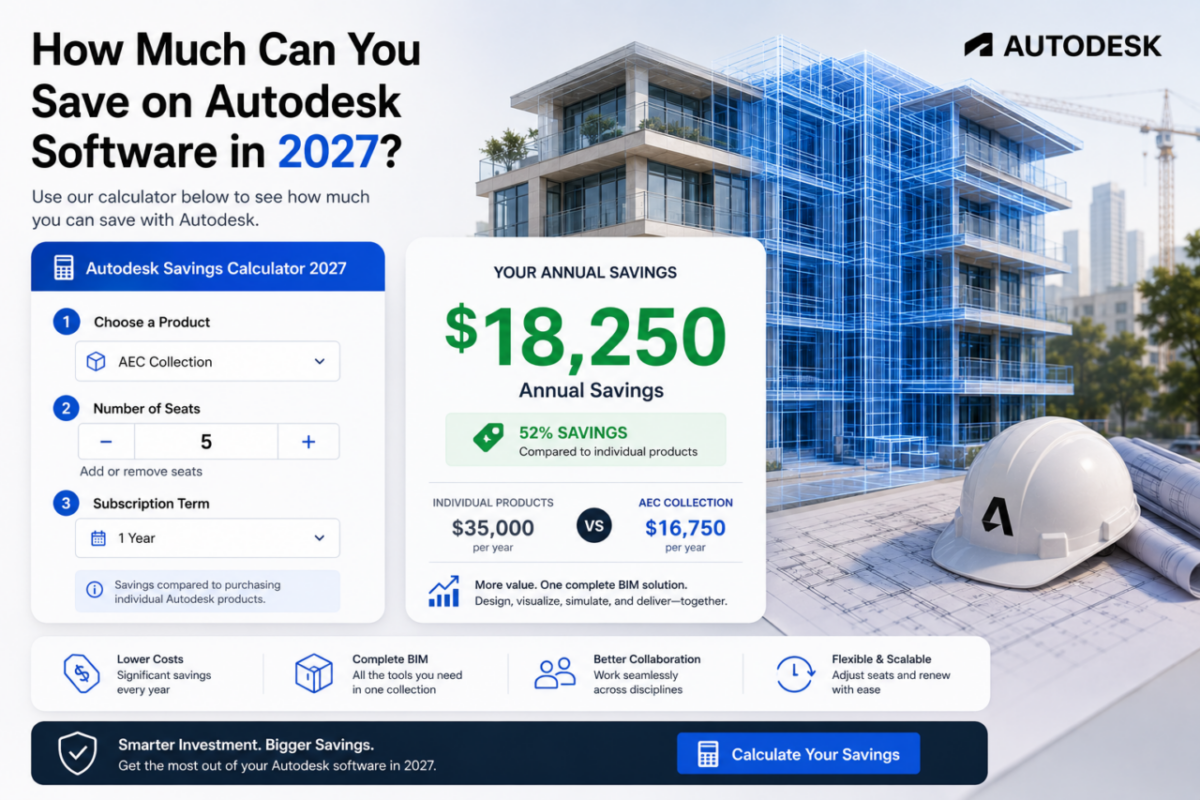
Autodesk makes the tools that run architecture, engineering, and design—and it prices them accordingly. A single Revit seat costs thousands per year directly from Autodesk, and a multidisciplinary studio running several products quickly reaches five figures annually. For large enterprises that’s just a line item. For a small or mid-sized firm, however, it’s one of the heaviest fixed costs on the books.
There’s a smarter way to buy. Through authorized commercial licensing, professional firms get the very same Autodesk products for a fraction of what Autodesk charges directly—and the savings scale with every seat and every product in the workflow.
So how much can you save on Autodesk software? Use the calculator below to run your own numbers, then read on to see exactly how this works and what you get.
Calculate your savings
Select your products and number of seats below to see your estimated annual saving in seconds.
Autodesk Savings Calculator 2027
Compare official Autodesk pricing with ours and see your annual saving instantly.
Prices are estimates for guidance. Full features, updates and file compatibility included. Final price confirmed at checkout.
Why Autodesk costs so much directly
Autodesk’s list prices are built for enterprise procurement: standardized global pricing, volume agreements, and dedicated account management. Consequently, the figure you see on Autodesk.com reflects that enterprise positioning—not the budget of a freelancer or a ten-person studio.
For a multinational with a procurement department, this model works. For a growing practice competing on tight margins, however, the same pricing becomes a barrier that scales painfully with every additional licence.
How firms pay less for the same software
Commercial licensing delivers genuine Autodesk products through authorized channels optimized for small-to-medium professional firms rather than the enterprise sales route. Because those channels operate differently, the price drops substantially. Crucially, the product itself is unchanged—you receive the same applications, activated through your own Autodesk account.
The saving comes from how the licence reaches you, not from any compromise in what you get. Therefore, a firm that switches isn’t trading quality for price; it’s simply paying a fairer price for identical software.
What that means in practice:
✔ The full 2027 applications, activated in your Autodesk account
✔ Every feature, including the new AI tools
✔ Identical file formats and project compatibility
✔ A significantly lower price per seat
What you get
Lower pricing changes nothing about the software itself. Here’s exactly what’s included.
Full features and AI tools
The Revit you run is the complete Revit 2027, AI Assistant included. Likewise, AutoCAD ships with Geometry Cleanup and the Autodesk Assistant exactly as expected. Nothing is limited or stripped out.
Ongoing updates
Annual releases, point updates, and security patches arrive throughout your subscription, just as they would otherwise. Moreover, you stay current automatically—there’s no extra step and no version lock.
Identical files and compatibility
File formats stay exactly the same. An RVT or DWG you produce opens anywhere, and your IFC exports remain valid for regulatory submissions. As a result, coordination with consultants and authorities continues without a single compatibility surprise.
How much you can save on Autodesk software
The exact amount you can save on Autodesk software depends on your product mix and seat count—which is why the calculator above matters more than any single example. Nevertheless, the pattern is consistent: core applications cost a fraction of Autodesk’s direct pricing.
A solo professional saves on every product they run. Meanwhile, a multidisciplinary firm sees the saving multiply across the whole team—often enough to fund training, hardware upgrades, or an additional hire. In short, the more you deploy, the more the difference works in your favor.
Is this right for your firm?
For freelancers, small studios, and growing practices, the answer is straightforward: identical software at a far lower cost frees budget for the things that actually grow the business. On the other hand, very large enterprises that need centralized volume agreements and dedicated Autodesk account management may still prefer to buy direct.
If your priority is running genuine, fully featured, up-to-date Autodesk software while keeping your costs sustainable, commercial licensing delivers exactly that. Run your numbers in the calculator above, then explore the products below to get started.
Stop overpaying for Autodesk
Genuine Autodesk software, activated in your own account, at a fraction of the direct price.





